> For the complete documentation index, see [llms.txt](https://eplugins.gitbook.io/eglow/llms.txt). Markdown versions of documentation pages are available by appending `.md` to page URLs; this page is available as [Markdown](https://eplugins.gitbook.io/eglow/getting-started/commands-and-permissions.md).
# Commands & Permissions
All of the command that are available in eGlow with their associated permissions.
## User commands
### /eglow
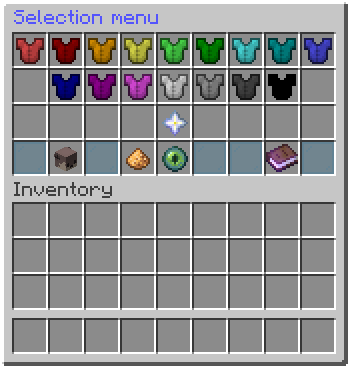
* **Permission:** `eglow.command.gui` / `eglow.user.*`
* **Description:** Opens the eGlow GUI.
### /eglow help
* **Permission:** `eglow.command.help` / `eglow.user.*`
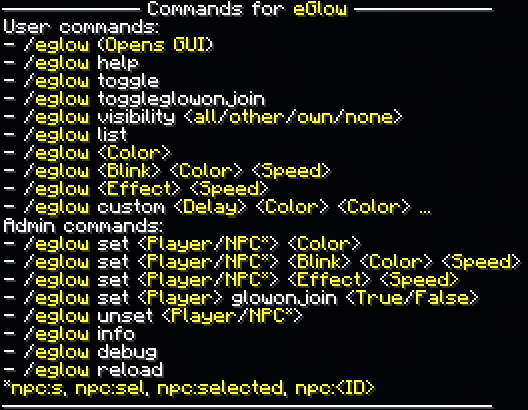
* **Description:** Gives a list of all commands.
### /eglow list
* **Permission:** `eglow.command.list` / `eglow.user.*`
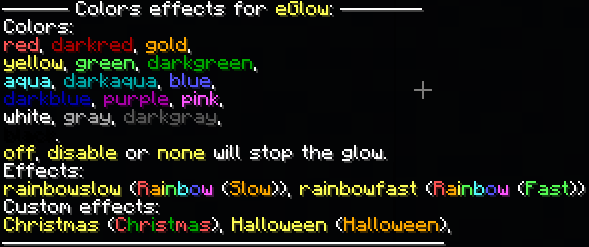
* **Description:** Gives a list of all available effects.
### /eglow toggle
* **Permission:** `eglow.command.toggle` / `eglow.user.*`
* **Description:** Toggles the glow on/off.
### /eglow visibility (visibility)
* **Permission:** `eglow.command.visibility` / `eglow.user.*`
* **Description:** Set a custom glow visibility.
#### Visibilities
* **all:** **Enables** the glowing of all players **including** your own.
* **own:** **Disables** the glowing of all players **excluding** your own.
* **Other: Enabled** the glowing of all players **excluding** your own.
* **none:** **Disables** the glowing of all players **including** your own.
#### Note
* This only applies to player glows.
### /eglow (color)
* **Permission** `eglow.color.` / `eglow.color.*`
* **Description:** Enables the specified solid glow.
#### Colors
* `red` `darkred` `gold` `yellow` `green` `darkgreen` `aqua` `darkaqua`
* `blue` `darkblue` `purple` `pink` `white` `gray` `darkgray` `black`
#### Note
* Using `none`, `off` or `disable` will turn of the glow.
### /eglow blink (color) (speed)
* **Permission:** `eglow.blink.` / `eglow.blink.*`
* **Description:** Enables the specified blinking glow.
#### Colors
* Check [#eglow-color](#eglow-color "mention")
#### Speed
* `slow` & `fast`
### /eglow (effect)
* **Permission:** `eglow.effect.` / `eglow.effect.*`
* **Description:** Enables the specified effect glow.
#### Effects
* `rainbow` and all other custom effects.
### /eglow custom (delay) (color) (color) ...
* **Permission:** `eglow.effect.custom` / `eglow.effect.*`
* **Description:** Opens personal effect GUI without arguments or enables personal effect based on arguments.
* **Alternative format:** /eglow custom (delay) (color):(color):...
## Admin commands
### /eglow set (player/NPC) (color)
* **Permission:** `eglow.command.set` / `eglow.admin.*`
* **Description:** Enables the specified solid glow to the player/NPC.
#### Player
* Full/part of playername or \* for all players.
#### NPC
* **Selected NPC:** use `NPC:s`, `NPC:sel` or `NPC:selected`.
* **Another NPC:** use `NPC:` and specify the NPC ID.
#### Colors
* Check [#eglow-color](#eglow-color "mention").
### /eglow set (player/NPC) blink (color) (speed)
* **Permission:** `eglow.command.set` / `eglow.admin.*`
* **Description:** Enables the specified blinking glow to the player/NPC.
#### Player/NPC
* See [#eglow-set-player-npc-blink-color-speed](#eglow-set-player-npc-blink-color-speed "mention").
#### Color
* See [#eglow-color](#eglow-color "mention").
#### Speed
* See [#eglow-blink-color-speed](#eglow-blink-color-speed "mention").
### /eglow set (player/NPC) effect
* **Permission:** `eglow.command.set` / `eglow.admin.*`
* **Description:** Enables the specified effect glow to the player/NPC.
#### Player/NPC
* See [#eglow-set-player-npc-color](#eglow-set-player-npc-color "mention").
#### Effect
* See [#eglow-effect](#eglow-effect "mention").
### /eglow unset (player/NPC)
* **Permission:** `eglow.command.unset` / `eglow.admin.*`
* **Description:** Disabled the glow for the given player(s).
#### Player/NPC
* Check [#eglow-set-player-npc-color](#eglow-set-player-npc-color "mention").
### /eglow debug (player)
* **Permission:** `eglow.command.debug` / `eglow.admin.*`
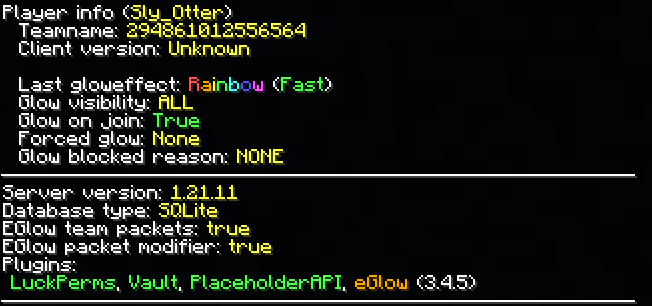
* **Description:** Shows debug info, mainly used to find issues in reports.
#### Player (Optional)
* Shows additional debug info for the specified player.
### /eglow reload
* **Permission:** `eglow.command.reload` / `eglow.admin.*`
* **Description:** Reloads the plugin.
### Additional permissions
* `eglow.option.glowonjoin` (`eglow.user.*`): Gives the ability to toggle whether the glow will enable on join.
* `eglow.option.update` (`eglow.admin.*`): Gives the ability to get update notifications for the plugin.
* `eglow.*`: Gives all listed permissions.
#### Note
* All permissions containing a `*` are group permissions, so contain all the permissions where they are mentioned on this page